Mario
(Current scale is below 100% - zoom in to view full detail)
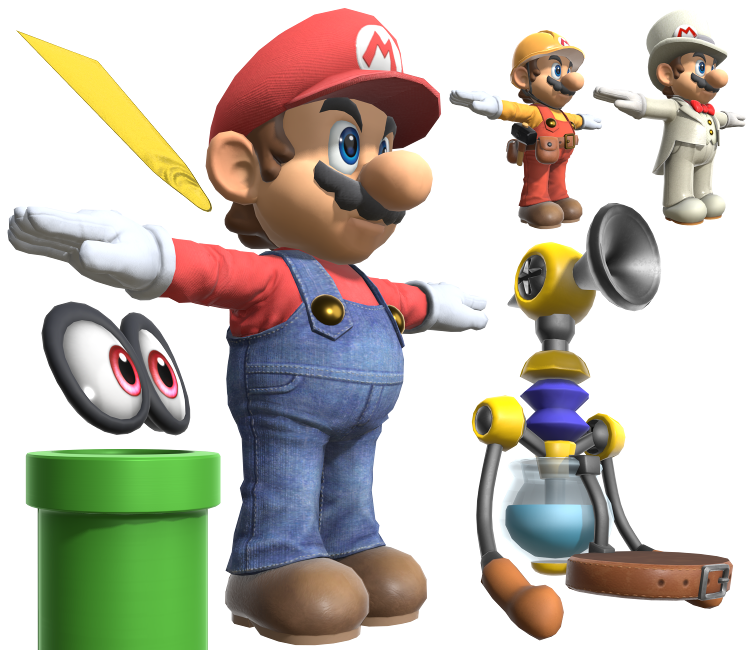
| Asset Info favorite | |
|---|---|
| Name | Mario |
| Category | Nintendo Switch |
| Game | Super Smash Bros. Ultimate |
| Section | Fighters |
| Submitted | February 20, 2019 |
| Uploaded By | Centrixe the Dodo |
| Size |
34.12 MB (147 items) arrow_right
|
| Format |
ZIP (application/zip) dae, fbx, png, txt |
| Hits | 86,100 |
| Tags (9): arrow_right | |
Comments (39)
You must be logged in to post comments.
Can you give me the link to the video please?

THANKS! So is this the same method that uses “Drivers” to animate the characters’ eyes in Animal Crossing? (I saw it on YouTube. The artist moves a bone, and the eye texture changes to show closed eyes.) If it’s okay, I can post the link to the video here. It must take a lot of work to make all those faces. I thought they animated the character’s face and, during game production, would use “ when the character takes a hit: Animation No. XX” or something like that. I’ve seen models from other 3D games (Jump Force and AFK journey for example) that don’t have multiple faces. I can't understand the differences. I mean why smash uses multiples faces and others 3D games any?
Yes. The multiple face meshes are part of the original game model, not something added by the person who extracted it. The game's animations simply swap between the different face meshes to create expressions like talking, blinking, smiling, and other facial animations.

I NEED HELP! I am learning Blender and I just want to know why there are multiples "faces" (expressions models) in every character I download. How it works in a real game? Is that how they made SSMB? or these expressions were extracted by the user just to show us the character expressions used in animations????
he's my main

You are meant to brighten up the textures in an editing software and use PRM maps.
FORWARD ARIEL
In my renders with these Smash Ultimate models, the face/skin textures are always like "too washed out pale"
How do I replicate the face texture as in the previews?
for some reason when I apply the iris texture, they're misaligned and he's looking different directions
How do I properly apply the eye textures? There are 4 different textures labeled _col and I don't know how to apply them correctly. When applying the one labeled _b_col, a black shadow appears around the eye texture. What needs to change in order to make the white part show instead of the dark, black void?

Let's a Gooo!!!
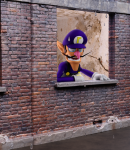
What is the lighting setup on the thumbnail and this image? Is it an HDRi or is it done with lights?
@LuigiNumberOne: You're somewhat correct, Super Mario Odyssey's high-poly model has 21,244 vertices. Whereas SSBU's model has 24,098 vertices, that vertex count is with all the other face meshes shown. SSBU Mario with only the main meshes shown has only 4,651, making it far less than Super Mario Odyssey's model.
This model is way higher poly than oddesey’s highpoly mario model
I need help to make the composite material on Sketchfab. Can somebody help me
This model looks great for a design based on Super Mario Odyssey.
@radicalryan because he's T-posing?
ripper must not have applied the rig right
| keyboard_double_arrow_left keyboard_arrow_left | Page 1 of 2 | keyboard_arrow_right keyboard_double_arrow_right |
"The Simplest Facial Rig in Blender for Beginners!" (Channel: SouthernShotty)
this one below is in Korean but the CC works good
[#b3d] 블렌더로 큐브에서 캐릭터를 만들어보자 !
(this is the animal crossing tutorial but she uses Shaders instead of drivers to animate the eyes)