Big Chungus
(Current scale is below 100% - zoom in to view full detail)
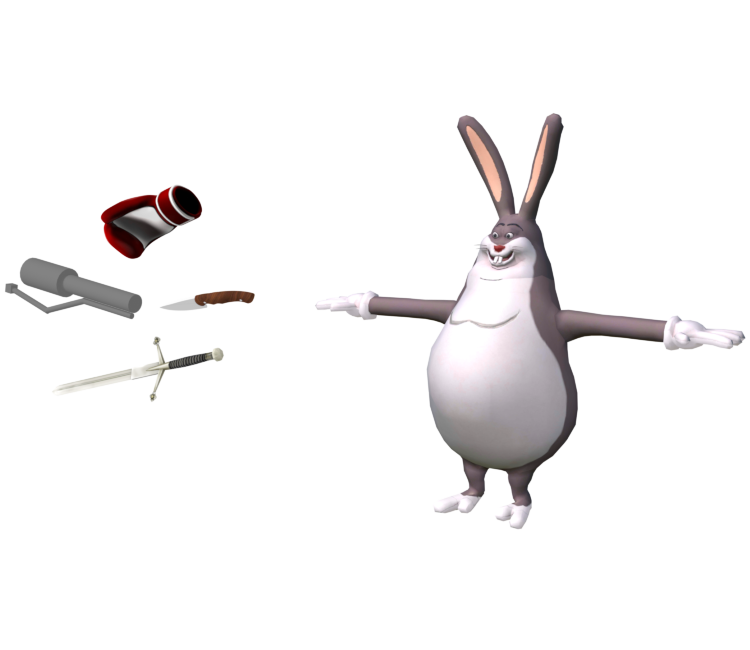
| Asset Info favorite | |
|---|---|
| Name | Big Chungus |
| Category | Mobile |
| Game | Chungus Rampage in Big Forest |
| Section | Characters |
| Submitted | September 1, 2026 |
| Uploaded By | DogToon64 |
| Size |
4.45 MB (13 items) arrow_right
|
| Format |
ZIP (application/zip) dae, fbx, png, txt |
| Hits | 1,386 |
| Tags (1): | |
Comments (11)
You must be logged in to post comments.

He's more famous than Eilish the famous singer
Blame Bob for this.

THAT'LL HOLD 'EM, ALRIGHT! *laughs* Phooey!

B-I-G gonna hit em with the chungus
OH GOD IT'S HIDEOUS
Alrighty then! Thanks for lettin' me know about it and tellin' me how to fix it! I had no idea how to have done it if ya hadn't told me. LOL

He is fixed now!
Alrighty, just submitted a revision. Is it fixed now?
You can use the default settings. the rest pose will still be intact on export, even though it's posed.
Just now saw your comment. What options did ya use to export the model in AssetStudio? Just wanted to ask before I begin fixin' Big Chungus' model.
Quick heads up, this is not the original rest pose of the model. my guess is that it's a Noesis export, and noesis tends to bake the position of the posed bones onto the geometry, and posed bones are common on AssetStudio rips.
You can fix this by importing the .fbx AssetStudio exported in blender (i recommend the experimental one in 4.5), then selecting all the bones then hit Pose>Clear Transform>All, then try to center it using the main mesh coordinates, then export it to .fbx and export it again in noesis (it makes parented meshes their own bones so you don't have to make them yourself).

You can fix this by importing the .fbx AssetStudio exported in blender (i recommend the experimental one in 4.5), then selecting all the bones then hit Pose>Clear Transform>All, then try to center it using the main mesh coordinates, then export it to .fbx and export it again in noesis (it makes parented meshes their own bones so you don't have to make them yourself).