Metal Slug 3D
Metal Slug 3D
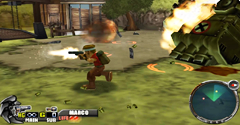
| Game Info arrow_drop_down favorite | |
|---|---|
| Category | PlayStation 2 |
| Assets | 4 |
| Hits | 127,081 |
| Comments | 4 |
| Tags (3): | |
arrow_drop_down
[1]
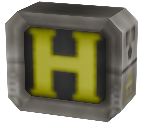
Bosses

arrow_drop_down
[1]
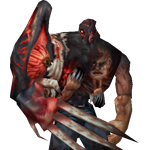
Enemies

arrow_drop_down
[2]
Miscellaneous

Comments (4)
You must be logged in to post comments.
Oh boy, I had managed to extract models some years ago but was never able to open them despite knowing the format. None of the tools and Blender plugins worked. What was used for these?
I hope we get all the vehicles and guns at least!
I hope we get all the vehicles and guns at least!

Wow, finally Metal Slug 3D!!! Hope to see more models!

After all these years someone figured out how to extract models from this game, incredible
luckily i manage to extract every Pak file for Metal Slug 3D:
https://drive.google.com/file/d/1Zgd7Y2dDOWKjwkMFUOzZ5QWh_Vm71uj5/view?usp=sharing
Another thing is that you need an Hex Editor to know which one to rename. for TXD Look for 16 00 00 00 or 01 18 00 00 in the hex, or text containing txd. for DFF Look for 10 00 00 00 or 02 18 00 00 in the hex. my brain hurts for figuring it out again. :P