Pokémon Legends: Z-A
Pokémon Legends: Z-A

| Game Info arrow_drop_down favorite | |
|---|---|
| Category | Nintendo Switch |
| Assets | 42 |
| Hits | 59,104 |
| Comments | 28 |
| Tags (9): arrow_right | |
arrow_drop_down
[2]
Pokémon (3rd Generation)
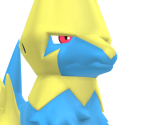
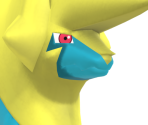
arrow_drop_down
[1]
Pokémon (4th Generation)

arrow_drop_down
[1]
Pokémon (6th Generation)

arrow_drop_down
[8]
Unique Trainers
AZ
view_in_ar

Emma
view_in_ar
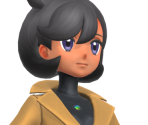
Jett
view_in_ar

Lida
view_in_ar
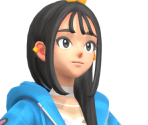
Lysandre
view_in_ar
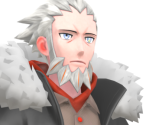
Mable
view_in_ar

Naveen
view_in_ar
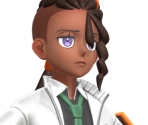
Vinnie
view_in_ar
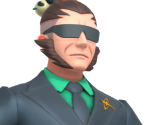
arrow_drop_down
[24]
Objects
Berry Tart
view_in_ar

Café Cup
view_in_ar

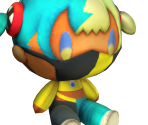
Canari Marketable Plushie
view_in_ar
Cards
view_in_ar

Cookie
view_in_ar
Croissant
view_in_ar
Iced Drink
view_in_ar
Lumiose Galette
view_in_ar
Mega Stones
view_in_ar
Nintendo Switch
view_in_ar
Nouveau Roast
view_in_ar

Obon Prop
view_in_ar
Orange
view_in_ar

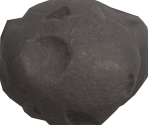
Pebble
view_in_ar
Pencil
view_in_ar
Poké Balls
view_in_ar

Poké Balls (Overworld)
view_in_ar

Rotom Phone
view_in_ar
Substitute Doll
view_in_ar

Sweets
view_in_ar
Takeout Coffee
view_in_ar
Tart
view_in_ar
Tea Set
view_in_ar

Travel Bag
view_in_ar
arrow_drop_down
[6]
Map Objects


Comments (28)
You must be logged in to post comments.

Reply to comment by RebirRenamon posted Nov 18, 2025 8:20 AM
i have a copy with the full dlc installed and the update
I have a copy of this game with the entire dlc and the last update, i can extract the data, but i do not have any idea about 3d models

Get blender 4.2 still have latest dae plugin
you still need to convert the model to dae for submission though.
The only thing you pretty much need from the 3d model program is the RGB of each texture.. which can be obtained from blender too..
I figure to add in to the post for those who couldn't afford Autodesk softwares like Maya and 3DS Max.

Ah… I’m a little confused as to why you replied to me about this, though? I haven’t regularly used Blender beyond 3.0 for years. My original comment doesn’t even mention Blender, in fact. It’s focused on 3DS Max. I’m a little surprised that you’re relaying to me very basic submission rules too, considering… y’know…

Neat!
Just a reminder, any Blender builds above 4.2 dropped support for Collada, and 5.0 no longer have the import/export built in. For export of said files for submission, it's advised that you either stick with the former version, or install the export addon for the latter.
Remember, Dae and png formats are mandatory for submission if the model is rigged.
Remember, Dae and png formats are mandatory for submission if the model is rigged.
the za models with png link is gone on github does anyone have a back up ?

At the top of the first post on page 1 it says: "What you'll need:" and there is a link to the models. I hope this helps.
I'm confused on this. Do they have the Z-A models as well? I can't seem to find them in the thread at all
Thanks for directing me there. I checked RTB's Pokémon Model Ripping Project thread and the linked folders but I am not seeing any Legends Z A models or the new Megas. Are they somewhere else yet, or are they just not publicly available right now?
Edit: I managed to find it, thank you for your help!!
Edit: I managed to find it, thank you for your help!!
The Pokémon Model Ripping Project thread by Random Talking Bush! It has the model files as well as the scripts to convert 'em.
Thanks Dodo for the help, but how can I get started? Where can I find the models to do this to?
So, for putting together a Pokémon texture, you'll want the following:
• Photo Editor. (I'm using paint.net.)
• Alpha Mask Plugin / Option / Effect for the Photo Editor.
• 3D Program. (I'm using 3DS Max.)
• TextureRemix tool. (To split apart texture channels.)
• That Pokémon's Hex Codes. (Their internal, official colour values.)
• That Pokémon's Split "LYM" Textures. (You will need to merge some of these, too.)

To obtain the hex codes, I use Random Talking Bush's 3DS Max script to import Manectric's model. RTB has the material nodes setup to automatically display the proper colours using the respective LYM masks. If you don't have 3DS Max, then, um... I guess you'll have to find a way to get the material information out of the Pokémon's files? Once you do have that information, search within it (.txt or .json, I reckon...) for the texture's material name that you want to make, then put together the hex codes using the RGB values for "BaseColorLayerX" with X being the digit. If you don't know how to split apart an "LYM" texture, download Peardian's TextureRemix tool, drag the LYM into it, set an export location, and press the "|||" button. Then, instead of leaving them as "..._R / _G / _B / _A", rename the exported split textures as "..._A / _B / _C / _D".

Next, you'll want to find an Alpha Mask Import plugin for paint.net. The one I use is from 2006, and I can confirm it works perfectly (at least with 4.X versions of paint.net, anyway.) Once that plugin is installed, make sure the "Layers" box is open (button for it is in the upper right corner), drag LYM_A into paint.net as a new image, then drag LYM_B and LYM_C in as layers. If done correctly, you should have 3 textures all within the same project. Duplicate LYM_B and LYM_C, move them below the first 3, and temporarily hide those two by disabling the check-marks next to their names – they're meant for later. At the bottom of the Layers box, set the first 2 layers to "Additive" mode using the "Layer Properties" option. Next, merge all 3 layers into one texture. Save this texture as LYM_A+B+C.png. The program will first ask if you want to flatten the image; as long as the two duplicate textures from earlier are hidden, you can press yes. Once LYM_A+B+C.png is exported, hit the Undo button to un-flatten the textures, then delete your merged A+B+C layer and set the duplicated LYM_B / LYM_C to be visible again. Repeat the process by setting the top layer to "Additive" mode, merge the two, then save them as LYM_B+C.png.

Open a new image in paint.net with the same dimensions as your LYM textures. Duplicate the current layer 3 times; name them as A, B, C, D, in that order. Open the "Colours" box (button's also in the upper right corner), click the "More >>" button within it, select the Paint Bucket tool, then fill in each layer with the hex code colour respective to the LYM that they're meant for. (For example: LYM_A needs light blue, LYM_B needs dark yellow, LYM_C needs bright pink, LYM_D needs dark grey.) After setting each colour, select your "A" layer. In the top toolbar, go to "Effects" and choose "Alpha Mask..." (the plugin you installed from earlier.) Make sure all 3 check-marks are disabled, and make sure your clipboard is clear of any images regardless. Select the LYM_A+B+C.png texture you made and press OK. For your "B" layer, do the same by selecting your LYM_B+C.png texture. For your "C" and "D" layers, select LYM_C.png and LYM_D.png for them, respectively. Finally, re-arrange the order of the layers as D, C, B, A. If everything was done correctly, you should now have a proper "mock-up" of that Pokémon's colours! And of course, do not discard the original LYM's that were split apart if you do intend on submitting. Just take a look at my Manectric, Pyroar, or Roserade submissions to see how yours should be organised.

Happy baking!
• Photo Editor. (I'm using paint.net.)
• Alpha Mask Plugin / Option / Effect for the Photo Editor.
• 3D Program. (I'm using 3DS Max.)
• TextureRemix tool. (To split apart texture channels.)
• That Pokémon's Hex Codes. (Their internal, official colour values.)
• That Pokémon's Split "LYM" Textures. (You will need to merge some of these, too.)
To obtain the hex codes, I use Random Talking Bush's 3DS Max script to import Manectric's model. RTB has the material nodes setup to automatically display the proper colours using the respective LYM masks. If you don't have 3DS Max, then, um... I guess you'll have to find a way to get the material information out of the Pokémon's files? Once you do have that information, search within it (.txt or .json, I reckon...) for the texture's material name that you want to make, then put together the hex codes using the RGB values for "BaseColorLayerX" with X being the digit. If you don't know how to split apart an "LYM" texture, download Peardian's TextureRemix tool, drag the LYM into it, set an export location, and press the "|||" button. Then, instead of leaving them as "..._R / _G / _B / _A", rename the exported split textures as "..._A / _B / _C / _D".
Next, you'll want to find an Alpha Mask Import plugin for paint.net. The one I use is from 2006, and I can confirm it works perfectly (at least with 4.X versions of paint.net, anyway.) Once that plugin is installed, make sure the "Layers" box is open (button for it is in the upper right corner), drag LYM_A into paint.net as a new image, then drag LYM_B and LYM_C in as layers. If done correctly, you should have 3 textures all within the same project. Duplicate LYM_B and LYM_C, move them below the first 3, and temporarily hide those two by disabling the check-marks next to their names – they're meant for later. At the bottom of the Layers box, set the first 2 layers to "Additive" mode using the "Layer Properties" option. Next, merge all 3 layers into one texture. Save this texture as LYM_A+B+C.png. The program will first ask if you want to flatten the image; as long as the two duplicate textures from earlier are hidden, you can press yes. Once LYM_A+B+C.png is exported, hit the Undo button to un-flatten the textures, then delete your merged A+B+C layer and set the duplicated LYM_B / LYM_C to be visible again. Repeat the process by setting the top layer to "Additive" mode, merge the two, then save them as LYM_B+C.png.
Open a new image in paint.net with the same dimensions as your LYM textures. Duplicate the current layer 3 times; name them as A, B, C, D, in that order. Open the "Colours" box (button's also in the upper right corner), click the "More >>" button within it, select the Paint Bucket tool, then fill in each layer with the hex code colour respective to the LYM that they're meant for. (For example: LYM_A needs light blue, LYM_B needs dark yellow, LYM_C needs bright pink, LYM_D needs dark grey.) After setting each colour, select your "A" layer. In the top toolbar, go to "Effects" and choose "Alpha Mask..." (the plugin you installed from earlier.) Make sure all 3 check-marks are disabled, and make sure your clipboard is clear of any images regardless. Select the LYM_A+B+C.png texture you made and press OK. For your "B" layer, do the same by selecting your LYM_B+C.png texture. For your "C" and "D" layers, select LYM_C.png and LYM_D.png for them, respectively. Finally, re-arrange the order of the layers as D, C, B, A. If everything was done correctly, you should now have a proper "mock-up" of that Pokémon's colours! And of course, do not discard the original LYM's that were split apart if you do intend on submitting. Just take a look at my Manectric, Pyroar, or Roserade submissions to see how yours should be organised.
Happy baking!
I want to contribute here as well for all the help that this site has given me over the years. I'm going to start working on getting some more Pokemon in here.
That would be great, I want to start contributing here as I've used it many times over. Though I would like to be able to have better textures as you have added.
Will the guide be released after the update? :)
Will the guide be released after the update? :)

Aigh so the blender addon isn't the issue, is there a dump for the actual files??
| keyboard_double_arrow_left keyboard_arrow_left | Page 1 of 2 | keyboard_arrow_right keyboard_double_arrow_right |