disabled_by_defaultDue to increasing levels of AI scraping putting incredible strain on server resources but Cloudflare's under attack mode being a bit too heavy-handed to leave up 24/7, we're trying a new way to combat these attacks. By default, all traffic will be challenged but logged in users will bypass those challenges completely. We apologize for any inconvenience this may cause as it was never our intention to try to force registration and you certainly still don't have to - passing one of those challenges should keep you in the clear for a half-hour otherwise.

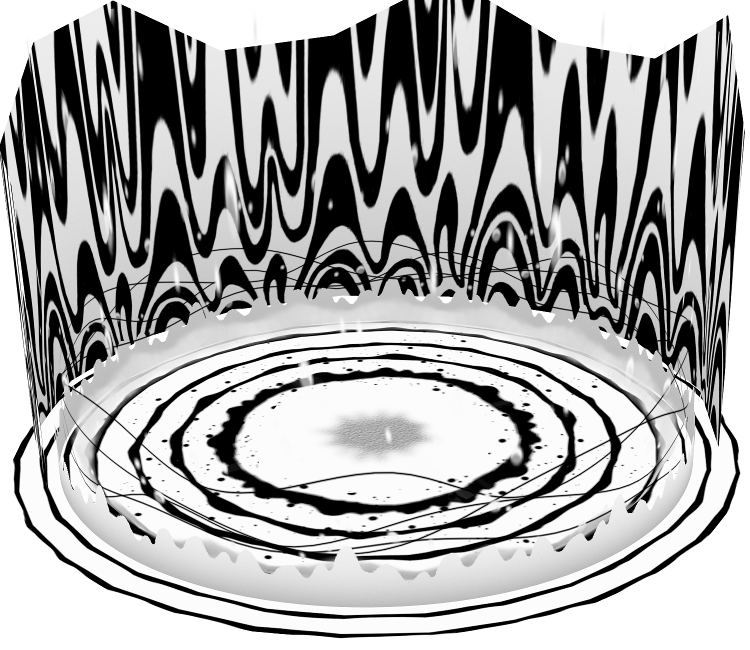
Subspace


x
arrow_back download comment undo arrow_forward
(Current scale is below 100% - zoom in to view full detail)
Asset Info favorite
Name Subspace
Category 3DS
Game Miitopia
Section Locations
Submitted October 31, 2021
Uploaded By ChingKittyCat
Size 148.93 KB (15 items) arrow_right
  • Dummy.png
  • Model.dae
  • SubspaceFar00_ALB.png
  • SubspaceFloor01_ALB.png
  • SubspaceFloor01_ALB_s.png
  • SubspaceFloor01_MSK.png
  • SubspaceFloor01_NRM.png
  • SubspaceFloorwave00_ALB.png
  • SubspaceFootlight00_ALB.png
  • SubspaceLine00_ALB.png
  • SubspaceLine01_ALB.png
  • SubspaceLine01_MSK.png
  • SubspaceStar00_ALB.png
  • SubspaceStar01_ALB.png
  • SubspaceUnder00_ALB.png
Format ZIP (application/zip)
dae, png
Hits 1,538

Comments (2)


You must be logged in to post comments.
Avatar
Well the reason why it looks like that on blender is because the model is created through vertex coloring (A pretty common thing most 3d Nintendo games do to make the model look like that in-game) so when the model is ripped, the vertex coloring doesn't export too and makes the texture looks pretty bland when opened on blender and as for making the model so it looks like how it does in-game, I'm not sure in this case as multiplying vertex color by color attribute and texture doesn't do much and still keeps the gray texture
Charles29 Jun 22, 2025 5:50 AM
Avatar
How do you make the color normal?
RottenMemsYT Jun 19, 2025 5:15 PM