Daisy (Suit)
(Current scale is below 100% - zoom in to view full detail)
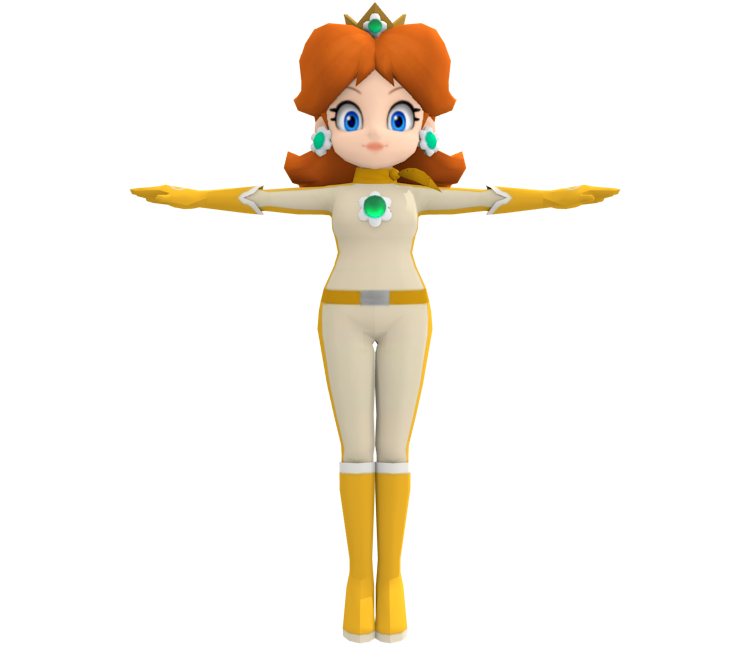
| Asset Info favorite | |
|---|---|
| Name | Daisy (Suit) |
| Category | Wii U |
| Game | Mario Kart 8 |
| Section | Racers |
| Submitted | August 23, 2015 |
| Uploaded By | RayK |
| Contributors | BillyGaming964 |
| Size |
1.95 MB (44 items) arrow_right
|
| Format |
ZIP (application/zip) dae, png |
| Hits | 34,958 |
| Tags (4): | |
Comments (5)
You must be logged in to post comments.

I downloaded and edited the preview on my Mac with the Octonauts logo in Portuguese and Latin American Spanish, titled “Octonautas”.
@Suroki @CrownGamer901
You need to change the Alpha of Daisy's material to 1, it is 0 by default, which renders as black.
You need to change the Alpha of Daisy's material to 1, it is 0 by default, which renders as black.

@Suroki: The diffuse/albedo map is there. There's two meshes for both textures. Don't know what you're doing

@CrownGamer901 i just tried importing the model into Blender.
it's all black because the roughness map (black and white) is being used rather than the albedo map (the collored texture)
when switching the two, the UV map was completely messed up
my fix: don't bother, find another model
it's all black because the roughness map (black and white) is being used rather than the albedo map (the collored texture)
when switching the two, the UV map was completely messed up
my fix: don't bother, find another model

This particular Daisy model imports all black in Blender and I can't seem to figure out how to fix it. Is there a fix?