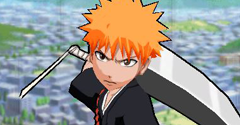
Bleach: Brave Souls
Bleach: Brave Souls
| Game Info arrow_drop_down favorite | |
|---|---|
| Category | PC / Computer |
| Assets | 21 |
| Hits | 21,967 |
| Comments | 5 |
| Tags (8): | |
|
Alternative Names (1):
arrow_right
Bleach: Brave Souls Anime Game
|
|
arrow_drop_down
[21]
Playable Characters
Bambietta (Swimsuit 2024)

Bambietta (Zombie)

Candice

Candice (Swimsuit 2024)

Ichigo

Ichigo (Bankai)

Ichigo (Shikai)

Ichigo (Swimsuit 2015)

Kukaku

Kukaku (Orient Society)

Kukaku (Swimsuit 2019)

Ninny

Orihime

Orihime (Christmas 2021)

Orihime (Swimsuit 2015)

Orihime (Swimsuit 2019, Power)

Orihime (Swimsuit 2019, Technique)

Orihime (Thousand-Year Blood War)

Rangiku (Swimsuit 2015)

Rangiku (Swimsuit 2023)

Rukia (Swimsuit 2021)

Comments (5)
You must be logged in to post comments.
Reply to comment by sco18 posted Dec 28, 2025 7:34 PM
In Blender in the bottom-right corner there should be 2 UV maps in the list. You have to make the 2nd UV map active and assign the face texture to the material. To use both the body and face textures at the same time, you can either duplicate the mesh and make each copy use only 1 of the UV maps, or modify the shader setup using a UV Map node input for each texture and multiply the result together for the base color texture input. I replied to your direct message with a longer explanation.

Boxy,
When you exported as a diffuse map in AssetStudio, what did you have to do in Blender to get the face to map to the model?
When you exported as a diffuse map in AssetStudio, what did you have to do in Blender to get the face to map to the model?

YES

This is just sad, never want to use the random model thing again
Some details, for anyone else who might be interested in this game: if you're using AssetStudio, try enabling "Export all UVs as diffuse maps" in the export options. Otherwise Blender's fbx importer won't import the 2nd UV layer (which you need for the face texture). It seems to load fine either way with 3ds Max though. You can also use AssetRipper and Unity to export with the 2nd UV layer for Blender, or convert the fbx to gltf with Noesis and then import that. I happened to see people elsewhere on the internet using models without faces, or manually recreating face UVs, so thought maybe this would help someone. Also this game's assets (most obviously textures) seem to have changed slightly at some point in the last couple of years (possibly unintentionally or just introduced different compression methods), so I included what I could from previous dumped assets I managed to keep. I've seen the same thing happen with other Unity games like The King of Fighters Allstar and Dragon Quest Walk, for what it's worth, yet other live service Unity games seem to be immune to this phenomenon. Anyway might be worth holding onto older assets if anyone else has kept them. Thanks again to Spiritovod for providing the decryption method.